
KeyboardPartner downloads
HX3.5 TouchOSC Layouts
| Name | Type | Size | Modified |
|---|---|---|---|
| Parent directoryGo up one level | Folder | — | — |
| Bedienungsanleitung_HX3_TouchOSC.pdf | PDF file | 1.0 MB | |
| HX3_Touch_Readme.pdf | PDF file | 195 KB | |
| HX35 TouchOSC Layouts.zip | ZIP file | 236 KB | |
| touchosc.PNG | PNG file | 120 KB | |
| UserManual_HX3_TouchOSC.pdf | PDF file | 828 KB |
No files found.
Select a folder to browse its contents or select a file to download it.
Documentation
Installation instructions
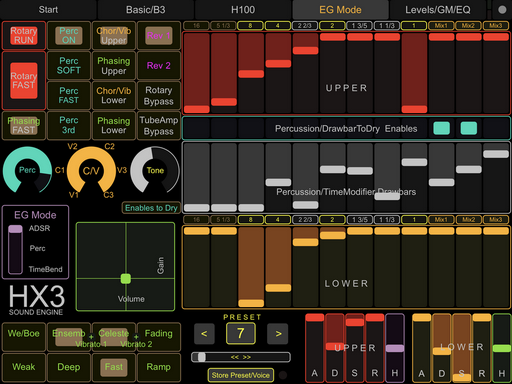
TouchOSC Layouts for HX3 Firmware up to #5.7xx
Deutsch
Laden Sie die Datei HX35 TouchOSC Layouts.zip herunter und entpacken Sie diese in ein Verzeichnis auf Ihrer lokalen Festplatte. Sie benötigen die App TouchOSC mk1 und den TouchOSC Editor (kostenlos) von https://hexler.net/products/touchosc und installieren Sie ihn auf Ihrem Rechner. Laden Sie TouchOSC aus dem Apple App Store (5,49 Euro) oder Google Play Store (Android, nur Anbindung über WiFi/WLAN). Weitere Hinweise finden Sie in HX3_Touch_Readme.pdf.
Bitte beachten: Ab Firmware 5.8xx verwenden Sie bitte die TouchOSCLayouts für HX3.6 (anderer Ordner)!
English
Download and unzip HX35 TouchOSC Layouts.zip file to a local directory on your harddisk. You also need the TouchOSC app. Download TouchOSC mk1 from the Apple App Store (5.49 Euro) or Google Play Store (Android, WiFi only). Also download the TouchOSC Editor (free) from https://hexler.net/products/touchosc and install it on your computer. See HX3_Touch_Readme.pdf for details.
Please note: From firmware 5.8xx and up please use TouchOSC layouts for HX3.6 (other folder)!